

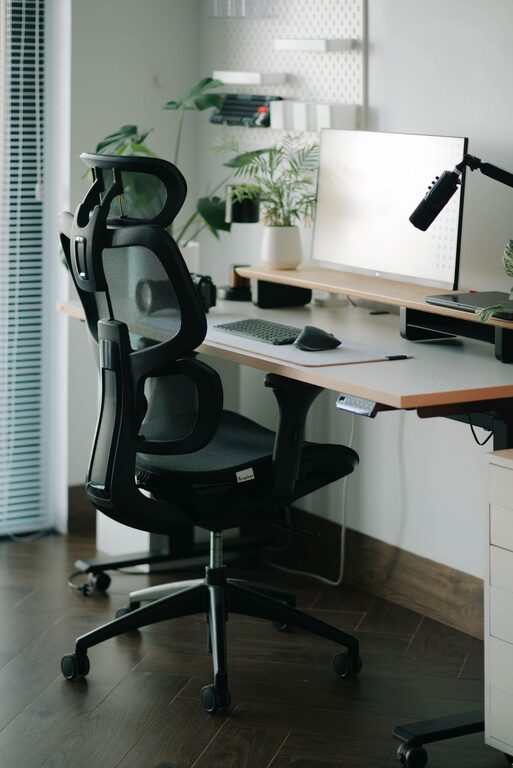
Creating a desk setup that supports both focus and comfort can dramatically improve your productivity and overall well-being. Whether you work from home, at an office, or in a shared space, the way you arrange your desk can influence your ability to concentrate and maintain good posture throughout the day. In this post, we’ll explore practical tips to help you design a workspace that nurtures both your mind and body.
Why Desk Setup Matters
A well-organized and ergonomic desk setup isn’t just about aesthetics—it impacts your physical health and mental clarity. Poor posture can lead to aches and pains, while clutter and distractions can hinder your concentration. By optimizing your desk, you create an environment that encourages sustained focus and reduces fatigue.
Key Elements of an Effective Desk Setup
1. Choose the Right Desk and Chair
– Desk height: The ideal desk height is one where your elbows rest comfortably at about a 90-degree angle when typing. Standard desks are typically around 29 to 30 inches tall, but adjustable desks or standing desks can offer more flexibility.
– Chair support: Invest in a chair with adjustable height, lumbar support, and comfortable cushioning. Your feet should rest flat on the floor or on a footrest, and your knees should be at a 90-degree angle or slightly lower.
2. Position Your Monitor Properly
– Eye level: Place the top of your monitor at or just below eye level. This position reduces neck strain by encouraging a natural, forward-facing posture.
– Distance: Keep the screen about an arm’s length (20 to 30 inches) away from your eyes. This distance helps avoid eye strain while allowing you to see details clearly.
– Multiple monitors: If using more than one screen, position them so you can look straight ahead rather than twisting your neck.
3. Optimize Lighting
– Natural light: Whenever possible, set up your desk near a window to benefit from natural daylight, which can boost mood and alertness.
– Task lighting: Use an adjustable desk lamp to provide focused light on your work area, reducing eye strain. Avoid glare by positioning the light source to the side.
– Avoid harsh overhead lighting: Fluorescent lights can cause discomfort; softer, diffused lighting is preferable.
4. Keep Your Desk Organized
– Declutter: Remove non-essential items to keep your workspace tidy. A clean desk minimizes distractions and saves time searching for supplies.
– Storage solutions: Use drawers, shelves, or organizers to keep documents, stationery, and gadgets neatly stored.
– Essential tools close: Keep frequently used items like pens, notebooks, or your phone within easy reach to maintain workflow.
5. Use Ergonomic Accessories
– Keyboard and mouse: Choose ergonomic models that fit your hand size and promote natural wrist positioning. Wrist rests can help reduce pressure.
– Laptop stands: If you use a laptop, a stand can raise the screen to eye level, which improves posture. Pair the stand with an external keyboard and mouse.
– Footrests: If your feet don’t comfortably reach the floor, a footrest can improve leg circulation and posture.
Creating a Comfortable Environment
1. Personalize Your Space
Adding a few personal touches like plants, photos, or art can create a welcoming environment that feels comfortable and inspiring. Plants especially can improve air quality and provide a calming presence.
2. Maintain Proper Temperature and Ventilation
Comfort depends on more than just furniture. Make sure your workspace is neither too hot nor too cold, and that fresh air circulates well. This helps keep energy levels steady.
3. Incorporate Movement Breaks
Sitting too long can cause stiffness and reduce focus. Set reminders to stand, stretch, or walk briefly every 30 to 60 minutes. A flexible desk setup that allows standing can support this habit.
Tips to Boost Focus at Your Desk
– Limit distractions: Use noise-canceling headphones if needed, and consider apps that block distracting websites during work sessions.
– Use a timer: Techniques like the Pomodoro method (working in focused intervals with breaks) can boost concentration.
– Organize digital space: Keep your computer desktop and browser tabs tidy to avoid overwhelm.
Final Thoughts
Setting up your desk with intention makes a big difference in your ability to work comfortably and focus efficiently. By paying attention to ergonomics, lighting, organization, and personal comfort, you can create a workspace that supports your best performance every day. Start making small adjustments today and notice how your workspace transforms into a place where productivity and well-being thrive.